Help centre / Your store
Themes & design
Choose a theme, customise it live, arrange sections and publish.
Choose a theme
Themes shows the gallery — themes made for clothing, groceries, gadgets, festive shops and more. Apply one; your products, pages and settings stay as they are. You can switch any time.
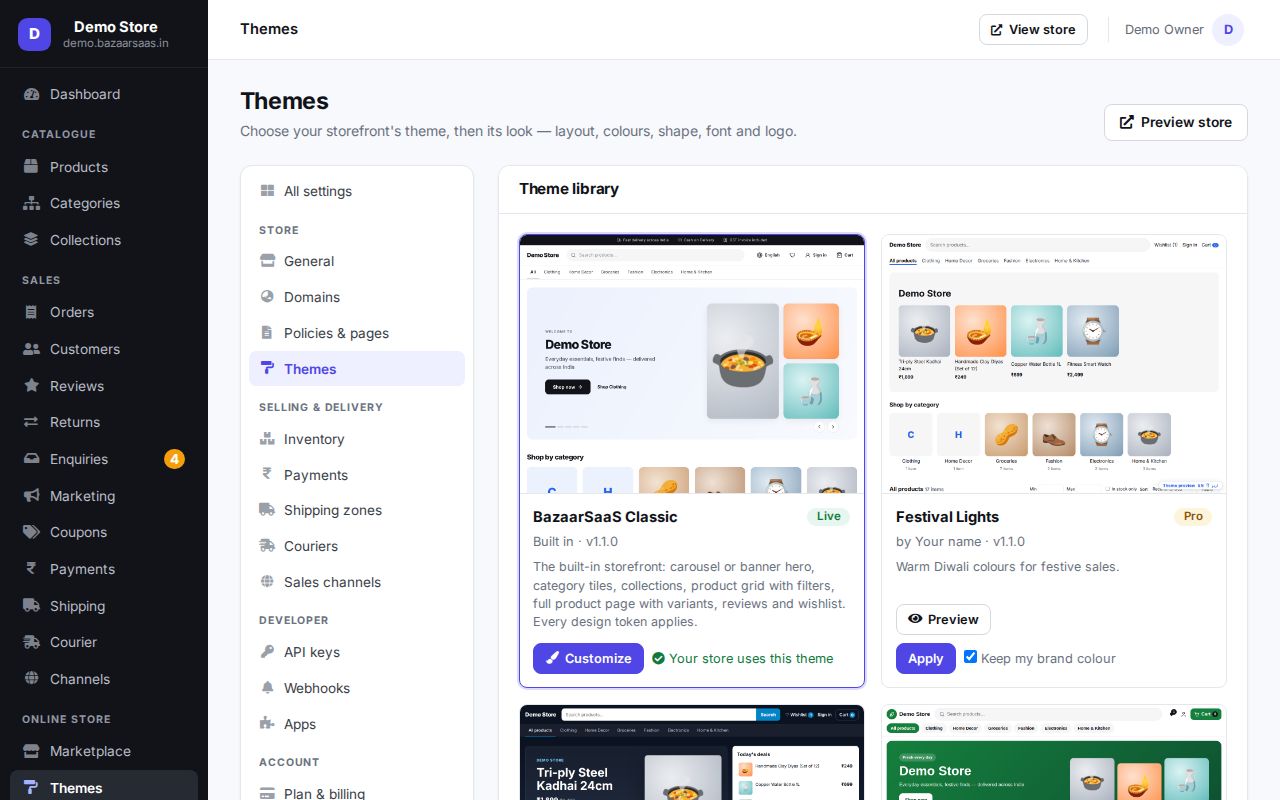
Customise it live
Themes → Customize opens a two-pane editor: settings on the left, your store on the right.
- Look: colours, fonts, corners and spacing for the whole store.
- Sections: add, remove and reorder the blocks on each page — banner, featured products, categories, testimonials… Each section has its own settings.
- Pages: switch between the home, product, collection and cart page layouts.
Changes are saved as a draft that only you see. Publish when it looks right; buyers then see the new design.
Your logo and pages
Your store name and logo, and your policy pages (shipping, returns, privacy, terms, about, contact), are in Settings — see Domain & store settings.
For designers
Themes are Handlebars packages built to a published contract; the Theme Dev Kit (bazaar-theme) validates,
previews and packages them — see Build a theme. Ask us about building a theme for your brand.
Still stuck? Talk to us — we'll help you set it up. Talk to us