Help centre / Selling
Payments & cash on delivery
Connect Razorpay or Cashfree, take UPI first, offer COD and handle refunds.
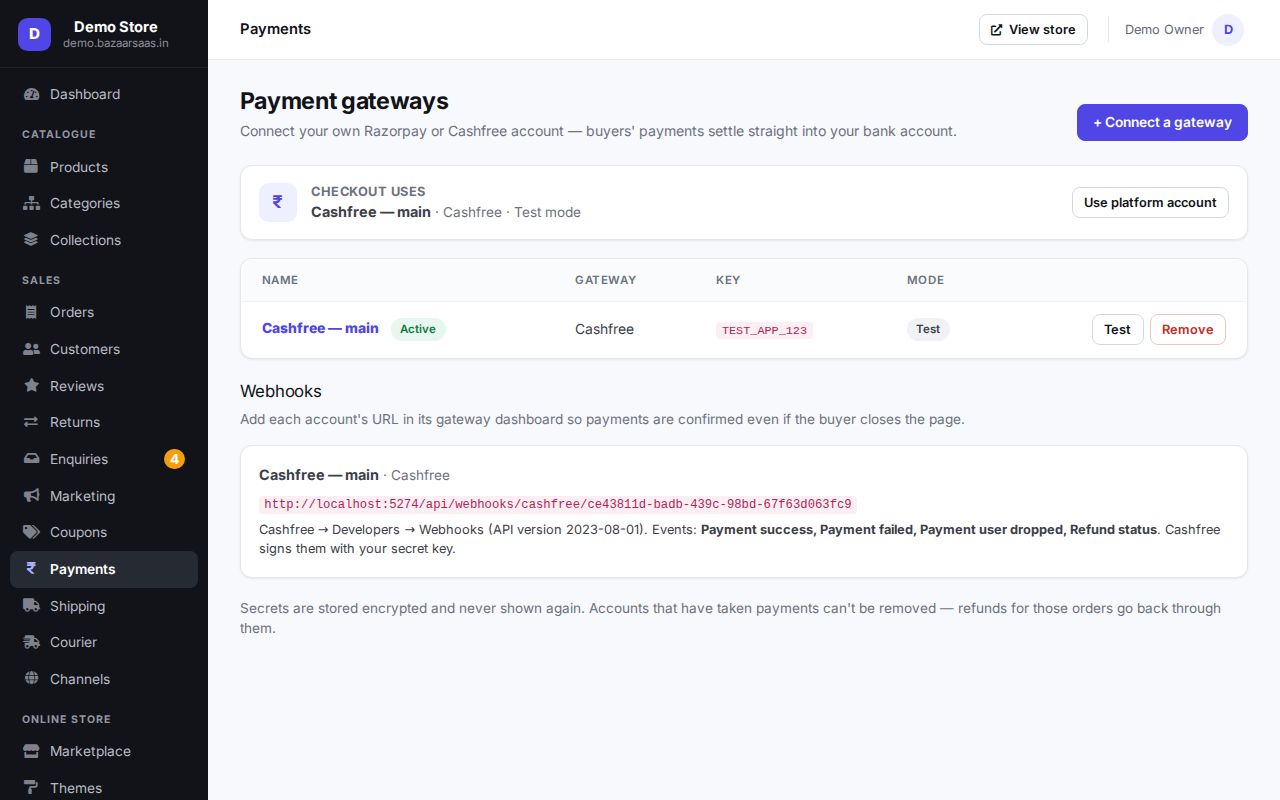
Connect your payment gateway
Payments go straight to your bank through your own gateway account.
- Create a Razorpay or Cashfree account and finish their KYC.
- In Payments, add the gateway and paste your key id and secret (test keys while you try things, live keys when you open).
- Add the webhook address shown on that page in your gateway's dashboard, so payments are confirmed even if the buyer closes the page.
At checkout, UPI comes first (a QR on computers, UPI apps on phones), then cards and net banking.
Cash on delivery (COD)
In Shipping → Cash on delivery:
- switch COD on or off,
- set a COD fee (added to the order),
- set a maximum order value for COD,
- list PIN codes where COD isn't offered.
For confirmation calls-free COD, minimum order values, blocking buyers whose parcels came back, and a reward for paying online, install COD Shield — see BazaarSaaS apps.
Unpaid orders
If a buyer reaches the payment page and leaves, the order waits as pending payment with the items reserved. They get a reminder to finish paying; if they don't, the order expires and the stock goes back. A payment that arrives after an order was cancelled is refunded automatically.
Refunds
Open the order → Refund. Refund the full amount or part of it; the money goes back through the gateway and a credit note is created. The order page shows each refund's status.
Still stuck? Talk to us — we'll help you set it up. Talk to us